
Chicken Road is a casual Android game built around digging paths, dodging obstacles, and guiding a chicken safely through each challenge, while the chicken road game download is discussed in casino-focused content as a separate entertainment option rather than a gambling product. If you are considering an APK download, it helps to know what the game involves, how to install it carefully, and what offline play means in practice. This guide explains those points while keeping the emphasis on the game itself: it is not a casino or real-money gambling product, and playing it does not require a deposit.
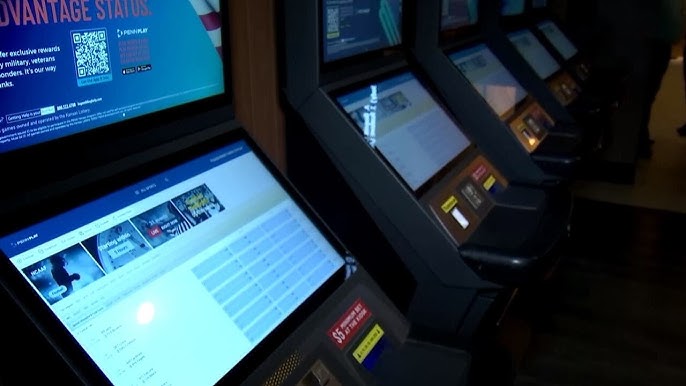
What players should compare before they deposit
Before depositing money at any casino, players should check licensing, payment terms, withdrawal rules, and responsible-play tools. Those checks matter because casino gambling involves real financial risk. Chicken Road is different: it is a mobile game centered on timing and obstacle dodging, not wagering. There is no casino deposit required to begin, and gameplay is not presented as a way to earn gambling winnings. Keeping this distinction clear can help readers avoid confusing a casual game download with a casino app or a real-money gaming service.
For anyone comparing entertainment options, the most useful questions are about the experience, device compatibility, and data use. Chicken Road is described as an Android game in which players dig paths and guide a chicken around hazards. Its developer is AIWORK TECHNOLOGIES, and offline play is supported after installation. That makes it a different kind of choice from an online casino, which typically depends on an internet connection and may involve account registration, age checks, and financial transactions. Review the game’s listing and permissions before installing, and do not assume that casino rules or protections apply to a casual mobile game.
How to get started with the Chicken Road APK
To try Chicken Road, begin by checking that your Android device can install the version offered through the download source. Softonic provides a free Android APK download for the game, but users should still read the listing details and verify the file before installing. The following steps focus on cautious installation and clear expectations; they do not involve creating a casino account or making a deposit.
- Review the listing: Confirm that the game name, developer information, and Android requirements match what you expect.
- Check your device: Make sure your phone or tablet has enough storage and is running a compatible Android version.
- Download carefully: Use the intended download page and avoid unrelated pop-ups or files that imitate the game.
- Install the APK: Follow Android’s prompts and only grant permissions that make sense for the game.
- Open and test: Launch Chicken Road, learn its path-digging controls, and check offline play after installation.
- There is no casino deposit needed to start playing.
- The game focuses on guiding a chicken and avoiding obstacles.
- Offline play is supported after installation.
- Checking compatibility first can prevent installation problems.
Practical download and offline-play details
An APK is an Android application package used to install an app outside the usual app-store flow. That flexibility can be useful, but it also means the source and file deserve attention. Softonic’s listing presents a free download for Chicken Road, while the developer is identified as AIWORK TECHNOLOGIES. Before proceeding, read the available version information, check that the game title and developer are consistent, and use your device’s security features. Treat any request for payment details, casino credentials, or unrelated permissions as a reason to pause and investigate rather than as a normal part of installing a casual game.
Offline support is a practical feature once installation is complete, particularly when you want a short mobile game session without relying on a connection. It does not mean that every download or update can happen offline: you will generally need internet access to obtain the APK and may need it again for updates. Test the game in airplane mode or with mobile data disabled after installation to understand how it behaves. Offline gameplay also does not turn Chicken Road into a casino game, provide gambling services, or create real-money rewards; it remains a casual obstacle-dodging experience.
- Game format: An Android mobile game built around paths, hazards, and a chicken character.
- Developer listing: AIWORK TECHNOLOGIES is named as the developer.
- Connection: Offline play is supported after installation, while downloading may require internet access.
- Casino distinction: The game is not a real-money casino product and does not require a gambling deposit.
These practical checks help set expectations before you install. They also make it easier to separate the risks of an APK download from the separate financial and regulatory considerations that apply to online casinos.
Key benefits and gameplay features
Chicken Road’s appeal is its straightforward premise: work out where to dig, respond to obstacles, and guide the chicken through the level. This kind of simple loop can suit brief sessions on a phone, without the account setup or payment steps associated with many casino platforms. The free APK listing and offline support after installation may also appeal to Android users who want to try a game without needing a constant connection. As with any download, however, check the current listing and device requirements instead of relying on assumptions about a particular version.
- Direct gameplay: Path-digging and obstacle dodging provide an easy-to-understand challenge.
- Offline availability: Play is supported without a continuing connection after installation.
- No casino deposit: Getting started does not require wagering or adding funds.
- Mobile format: The Android game is designed for play on a compatible phone or tablet.
These are convenience and gameplay points, not promises of winnings or guaranteed performance. A casual game can still vary by device and version, so give attention to the listing information and your own installation experience. If your main interest is casino entertainment, evaluate that separately through licensed services and their published terms, rather than treating a mobile game as a substitute.
Trust and security when downloading an APK
Installing an APK requires more care than simply opening a webpage. Check that the download source clearly identifies Chicken Road, inspect the developer and version details, and use Android’s built-in security prompts. Avoid files distributed through unexpected messages, unfamiliar advertisements, or pages that ask for sensitive information unrelated to a game installation. A casual game should not need your casino password, banking details, or payment card information just to launch. If an installation prompt requests permissions that do not seem relevant, stop and review them before continuing. These steps reduce avoidable risks, though no download source can replace your own device security practices.
Security checks are especially important because the title and casino terms can appear together in search results even when the products are unrelated. Chicken Road, as described here, is a game from AIWORK TECHNOLOGIES, with offline play available after installation; it is not a licensed gambling operator. A casino, by contrast, should disclose its licensing status, age restrictions, terms, and responsible-gambling options. Never transfer casino account details or funds to a game download page. If you choose to gamble elsewhere, use only a service authorized in your location, set limits, and seek support if gambling stops feeling recreational.

Why choose Softonic’s guide for a game download decision
Softonic’s Chicken Road listing can help Android users locate the game’s APK and review its basic identity before deciding whether to install it. Use that information alongside your device’s compatibility checks and security settings, and remember that offline play is available after the game has been installed. The experience is centered on guiding a chicken through paths and obstacles, not on casino wagering. That distinction matters: there is no deposit to make for the game, and it should not be mistaken for a real-money casino app or a source of gambling returns.
If you want a casual mobile challenge, check the current download details, install only when the file and permissions look appropriate, and test the game offline once setup is complete. If you are instead seeking casino play, make a separate, informed choice based on licensing, local rules, payment terms, and responsible-gambling safeguards. Keeping those decisions separate helps you understand what Chicken Road offers and what it does not, while making a more deliberate choice about both APK installation and real-money gaming.
